
Dark Web Apps for Android: Recommendations
Discover the top dark web apps for Android that provide secure access to hidden content and resources, enhancing your online privacy.
- Written:
- Updated: October 25, 2026
- Editor: Cassandra Delacroix
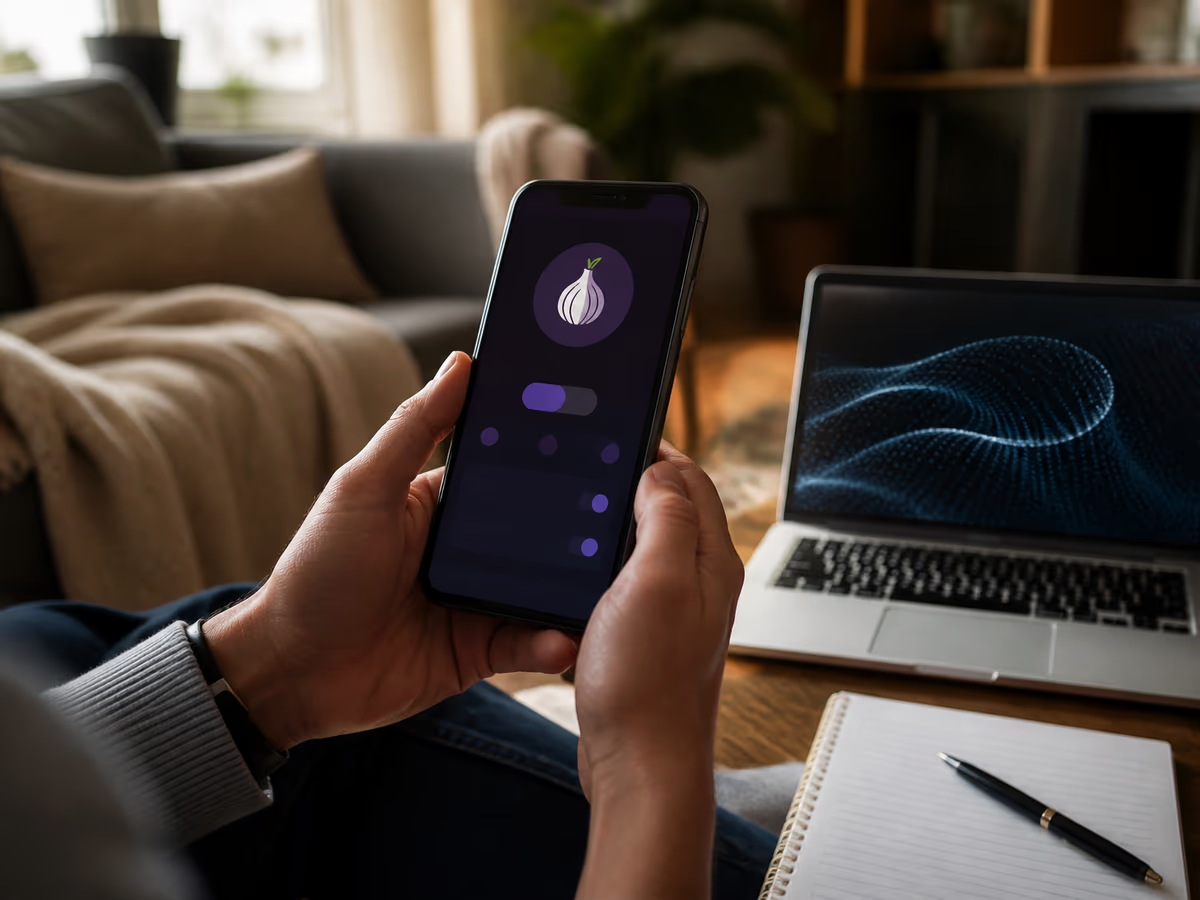
Configuring Orbot for secure dark web access.
For Android, you need only two apps: Tor Browser for Android and Orbot. Tor Browser is the only official mobile browser from the Tor Project, and it encrypts your traffic through three relays so your ISP sees only that you are using Tor[1]. Orbot routes traffic from other apps through the Tor network via a local proxy or VPN-style mode[2].
Comparison of Dark Web Apps for Android
| App | Official Status | Open-Source | .onion Support | Traffic Scope | Risk Level |
|---|---|---|---|---|---|
| Tor Browser | Yes | Yes | Yes | Tor network only | Low |
| Orbot | Yes | Yes | Yes | Selected apps | Medium |
| Generic Wrappers | No | Depends on app | Depends on app | Depends on app | High |
What a “Dark Web App” for Android Actually Does
A dark web app for Android is designed to connect you to the Tor network, enabling access to .onion sites and enhancing your online anonymity. These apps typically route your internet traffic through a series of relays, known as onion routing, which obscures your true IP address and protects your data from surveillance.
The primary types of dark web apps include:
Dark Web Browsers: These are specialized browsers, like Tor Browser for Android, developed by the Tor Project. They provide built-in features to enhance security, such as reducing tracking, defending against surveillance, and blocking unwanted ads[3]. Tor Browser encrypts your traffic and routes it through three relays, ensuring that observers can only see that you're using Tor, not your specific online activities[1].
Proxy Apps: These applications, such as Orbot, act as a bridge between your device and the Tor network, allowing other apps to route their traffic through Tor. Orbot can redirect traffic from selected apps or the entire device, but it is not a traditional VPN[2][4].
VPNs: Unlike dark web browsers and proxy apps, VPNs encrypt your traffic and route it through a server of your choice, but they do not provide direct access to .onion sites. They primarily serve to mask your IP address and secure your connection.
Many apps labeled as dark web tools on Google Play are simply wrappers for Tor or unreliable browsers that do not provide genuine access to the dark web. For instance, the app 'Dark web tor: Darknet' is a well-ranking example that functions more as a wrapper than an official Tor tool. Users should be cautious, as these apps may not offer the necessary security or anonymity features[5].
In summary, if you want to explore the dark web on Android, focus on the official Tor Browser for Android or Orbot for enhanced privacy. Avoid generic wrappers that claim to provide dark web access without the proper functionality or support.
The Core App Stack: Tor Browser, Orbot, and Orfox
The essential apps for accessing the dark web on Android are Tor Browser, Orbot, and Orfox. Each serves a unique purpose, and understanding their functions is crucial for effective and secure browsing.
Tor Browser for Android
Tor Browser for Android is the only official mobile browser developed by the Tor Project. It encrypts your internet traffic and routes it through three relays, making it difficult for anyone to track your online activities[1]. Key features include reducing cross-site tracking, defending against surveillance, and resisting browser fingerprinting[3]. By default, it does not keep browsing history, and cookies are only valid for a single session, enhancing your privacy[6]. With three security levels available, you can disable certain web features to further protect your anonymity[7]. Use Tor Browser when you require a secure and private browsing experience on .onion sites.
Orbot
Orbot acts as a Tor proxy for other apps, enabling them to connect to the Tor network. It creates local HTTP and SOCKS proxies and can redirect traffic from selected apps or the entire device through Tor[2]. It is important to note that Orbot is not a traditional VPN; it functions as a local proxy[4]. Use Orbot when you want to route the traffic of specific applications through Tor without using the Tor Browser. This is particularly useful for apps that do not natively support Tor.
Orfox
Orfox was the predecessor to Tor Browser for Android, initially released in September 2015. However, it has since been deprecated following the launch of the stable Tor Browser in May 2019[8]. Users of Orfox were eventually forced to transition to the official Tor Browser with an update that aimed to enhance security and functionality[5]. Orfox is no longer recommended due to its outdated features and lack of support, making it less secure compared to the official Tor Browser.
In summary, for Android users interested in the dark web, the recommended stack consists of Tor Browser for secure browsing and Orbot for routing traffic from other apps. Orfox should be avoided to ensure the highest levels of privacy and security.
Comparison Table: Official Tor Browser vs Orbot vs Third-Party Wrappers
When choosing a dark web app for Android, it's essential to compare their features and capabilities. Here’s a concise comparison table to help you make an informed decision.
| App | Official Status | .onion Support | Traffic Routing Scope | Google Play Availability | F-Droid Availability | Open-Source Status | Security Risk Level |
|---|---|---|---|---|---|---|---|
| Tor Browser | Yes | Yes | Browser-only | Yes | Yes | Yes | Low |
| Orbot | Yes | Yes | System-wide | Yes | Yes | Yes | Medium |
| Generic Wrappers | No | Varies | Varies | Yes | Varies | Depends on app | High |
Tor Browser for Android is the only official mobile browser from the Tor Project, providing robust security features like encryption and traffic routing through three relays, ensuring low security risk[3][1]. It supports .onion sites and is open-source, making it a reliable choice for privacy-focused users.
Orbot, on the other hand, is an app that enables other applications to connect to the Tor network. It operates as a local proxy or VPN-style service, allowing specific apps to route their traffic through Tor[2][4]. While it supports .onion sites, it has a medium security risk level due to its broader traffic routing capabilities, which may expose vulnerabilities if not configured properly.
Generic wrappers found on Google Play often claim to provide dark web access but usually lack the essential features and security of official apps. These may vary in their support for .onion sites and can pose a high security risk, as they may not be open-source or properly vetted[5].
For optimal security and functionality, prioritize the use of Tor Browser for Android or Orbot, and avoid unreliable third-party wrappers that may compromise your privacy.
How to Spot Fake or Malicious Dark Web Apps on Google Play
Many apps claiming to offer dark web access on Google Play are actually adware, trackers, or scams. It's crucial to recognize the red flags when evaluating these apps to ensure your privacy and security.
Red Flags to Watch For
No Affiliation with Tor Project: Official dark web apps should be developed or supported by the Tor Project. If an app lacks any mention of such affiliation, it’s a warning sign.
Closed Source: Apps that do not disclose their source code can hide malicious activities. Always prefer open-source apps like Tor Browser for Android or Orbot, which are transparent about their functionality.
Excessive Permissions: Be wary of apps asking for permissions that seem unrelated to their function, such as access to your contacts, SMS, or location. Legitimate dark web apps typically require minimal permissions.
Recent Creation Date with High Download Count: Apps that are newly created but have an unusually high number of downloads might be using deceptive marketing practices. Check the app’s release date against its download statistics.
Fake Reviews: Look for patterns in reviews. If the majority are overly positive without specific details, they might be fabricated. Genuine user feedback tends to be more balanced and nuanced.
Case Study: 'Dark web tor: Darknet' App
The app 'Dark web tor: Darknet' serves as a cautionary example. While it ranks well on Google Play, it functions more as a non-official wrapper than a true dark web tool. Users may find it lacking in essential security features provided by the official Tor Browser[5]. This highlights the importance of sticking to verified applications that are explicitly associated with the Tor Project.
By keeping these red flags in mind, you can better navigate the crowded landscape of dark web apps on Google Play and make informed decisions about your privacy and security.
What Tor Browser Protects on Android — and What It Doesn’t
Tor Browser for Android provides significant privacy protections, but it’s essential to understand its limitations. While it encrypts your traffic and routes it through three relays, preventing your ISP from seeing your specific online activities[1], it does not hide the fact that you are using Tor. This means your ISP can still detect Tor usage, which may raise suspicions.
Tor Browser does a good job in protecting your browsing history by not retaining it and ensuring cookies are valid only for a single session[6]. However, it does not protect against malware downloads. If you inadvertently download malicious files while using Tor, your device remains vulnerable. Always exercise caution and use reputable sources when downloading files.
For users relying on non-browser apps, Tor Browser alone is insufficient. These apps do not automatically route their traffic through Tor unless configured with Orbot, which is necessary for achieving the same level of anonymity[2].
The security slider in Tor Browser allows you to adjust the level of security, disabling certain web features that could compromise your privacy[7]. However, enabling JavaScript can expose you to potential risks. By default, JavaScript is enabled, which could lead to tracking or security breaches, especially on less secure sites.
Combining a VPN with Tor is a debated practice. While it may enhance privacy by adding an additional layer of encryption, it can also introduce complexities and is not always safer than using Tor alone. The effectiveness of this combination depends on the VPN provider and their policies regarding logging and data retention.
In summary, Tor Browser on Android is a powerful tool for privacy, but users must remain vigilant about its limitations and potential risks. Always consider using Orbot for added security with other apps, and be cautious of downloads and external connections.
Hardened Alternatives: Tails, Whonix, and Why Mobile Is Different
Desktop and live-USB solutions like Tails and Whonix are recommended for high-risk use due to their robust security architectures, which isolate the operating system and applications from the host machine. Tails, for instance, runs entirely from a USB stick and leaves no trace on the computer you use, while Whonix operates in a virtualized environment, ensuring that all internet traffic is routed through Tor and protecting against various attack vectors. In contrast, Android inherently lacks this level of isolation. The mobile operating system is designed for convenience and usability, which can expose users to security risks, including tracking and malware. While the official Tor Browser for Android provides essential privacy features, such as traffic encryption and session isolation, it is mainly intended for casual privacy rather than operational security[3][1][6]. This means that if you are handling sensitive information or engaging in high-risk activities, relying solely on Android dark web apps may not offer sufficient protection. Instead, for serious privacy needs, consider using Tails or Whonix, which provide a much more secure environment for accessing the dark web.
Finding .onion Links Without Getting Scammed
Finding .onion sites can be tricky, especially when navigating the potential pitfalls of the dark web. To locate these hidden links effectively, you can utilize specific Tor search engines that prioritize user safety.
Search engines like DuckDuckGo's .onion version, Ahmia, and Haystak are reliable tools for discovering .onion sites. These search engines index a variety of content while attempting to filter out malicious links, helping you avoid scams and phishing attempts. For instance, Ahmia provides a curated search experience, focusing on safety and quality of results.
However, be cautious of link directories claiming to offer comprehensive lists of .onion sites. Many of these directories, often referred to as 'hidden wikis', can lead you to phishing sites or illegal content. The risk of encountering harmful links increases significantly when relying on unverified sources. Instead of using these directories, stick to trusted search engines that provide a safer browsing experience.
When using Tor Browser for Android, remember that it encrypts your traffic and routes it through multiple relays, enhancing your anonymity[1]. This feature is crucial, as it means that even if you stumble upon a malicious .onion site, your connection remains secure. Additionally, Tor Browser does not retain browsing history, further protecting your privacy while exploring[6].
In summary, use reputable Tor search engines to find .onion links and avoid dubious directories. This approach allows you to explore the dark web with a reduced risk of scams and malicious content, ensuring a safer online experience.
Quick Checklist: Minimum Security Setup Before Opening Any .onion Link
Before diving into the dark web, it’s essential to set up your Android device to maximize security. Here’s a practical checklist to follow:
Update Android
Ensure your Android operating system is up to date. Regular updates patch vulnerabilities that could be exploited by malicious actors.
Enable Full-Disk Encryption
Activate full-disk encryption on your device to protect your data. This feature secures your files by requiring a password or PIN to access them, making it harder for unauthorized users to retrieve information.
Disable JavaScript
Use the security slider in Tor Browser to disable JavaScript. This step is crucial, as JavaScript can be leveraged to track users or execute malicious code, compromising your anonymity[7].
Close All Other Apps
Before opening any .onion link, close all other applications running on your device. This action minimizes the risk of background processes leaking information or interfering with your Tor session.
Use a No-Root Firewall
Install a no-root firewall to block non-Tor traffic. This tool prevents apps from sending data outside the Tor network, enhancing your privacy. Reddit users recommend several reliable options available on Google Play that don’t require root access.
Never Log Into Personal Accounts
Avoid logging into any personal accounts while using Tor. This practice helps maintain your anonymity, as linking your identity to your browsing activity can defeat the purpose of using Tor[6].
By following this checklist, you can significantly enhance your security while exploring .onion sites. Always stay vigilant and prioritize your privacy to ensure a safer dark web experience.
Frequently Asked Questions About Dark Web Apps on Android
Can a regular person access the dark web? Yes, anyone can access the dark web using specific tools like the Tor Browser for Android. This browser is designed to facilitate secure browsing and can help users navigate .onion sites while maintaining their anonymity[3].
Is Orbot a VPN? Orbot is not a traditional VPN; it is a Tor proxy app that routes selected app traffic through the Tor network. While it offers some VPN-like features, its primary function is to provide Tor connectivity, enhancing privacy for specific apps or the entire device[4].
How do I download and install Tor Browser? To download Tor Browser for Android, you can find it on reputable platforms like Google Play or F-Droid. Simply search for ‘Tor Browser’, ensure it’s the official version, and follow the prompts to install it on your device[3].
Is there a dark web browser for iPhone? Currently, there is no official Tor Browser for iPhone. However, users can utilize alternative apps that provide some level of Tor connectivity, but these may not offer the same level of security and privacy as the official version for Android[3].
Can you be tracked while using Tor? While Tor Browser encrypts your traffic and conceals your browsing activity from your ISP, it does not make you completely untraceable. Your ISP can see that you are using Tor, but they cannot see your specific activity[1][6].
Do I need a VPN with Tor? Using a VPN with Tor can add an extra layer of security, but it is not necessary for most users. The combination can complicate the setup and may not always enhance privacy unless you trust the VPN provider[6].
Typical Mistakes and Misconceptions
Assuming any app with ‘Tor’ in the name is official
Google Play hosts dozens of apps that borrow Tor branding without being affiliated with the Tor Project. Installing one of these wrappers gives you the interface of a dark web browser without the actual routing, encryption, or fingerprinting protection that the real tool provides. The Tor Project maintains only one official mobile browser, and it is called Tor Browser for Android[3]. Before installing anything, check the developer name and cross-reference it with the Tor Project’s own download page.
Confusing Tor Browser, Orbot, and Orfox
These three names appear together in search results, but they serve different roles. Tor Browser for Android is the official standalone browser with built-in routing, security levels, and fingerprinting resistance[3][7]. Orbot is a separate app that provides Tor connectivity to other applications through local proxies and an ‘Apps VPN’ mode[2]. Orfox was an older browser that the Guardian Project discontinued after Tor Browser for Android launched in May 2019[8]. If you only need to browse .onion sites, install Tor Browser; if you need other apps to route through Tor, add Orbot.
Believing your ISP cannot tell you are using Tor
Tor Browser encrypts your traffic and routes it through three relays, so your ISP cannot see which sites you visit or what you do there[1][6]. However, your ISP can still see that you are connecting to the Tor network, because the first relay’s address is visible to anyone monitoring your connection[1]. This distinction matters if your goal is avoiding attention rather than just hiding activity. Using a bridge or pluggable transport can obscure even the fact of Tor usage, but the default setup does not.
Trusting that Tor Browser protects every app on your phone
Tor Browser only routes its own traffic through the Tor network. If you open a different browser, a chat app, or a file-sharing tool, those applications use your regular connection unless you explicitly configure them otherwise. Orbot exists precisely to close this gap by letting you select which apps send traffic through Tor[2]. Without Orbot, you might browse anonymously in Tor Browser and then leak your real IP address seconds later from another app running in the background.
Assuming mobile Tor is as hardened as desktop or live-USB setups
Tor Browser for Android carries the same three security levels as its desktop counterpart, which disable certain web features that can compromise anonymity[7]. But Android itself is a general-purpose mobile OS with background services, app permissions, and telemetry that desktop privacy systems like Tails isolate by design. The mobile browser is built for casual privacy and censorship circumvention, not for high-risk operational security[3]. If your threat model includes targeted surveillance or forensic analysis of your device, a phone is the wrong tool regardless of which app you install.
Thinking a VPN always makes Tor safer
Adding a VPN to your Tor connection changes the trust model instead of simply improving it. Your VPN provider sees that you are using Tor, and if that provider keeps logs, you have shifted visibility from your ISP to a third party[6]. The official Tor guidance does not recommend VPNs as a default layer for most users. If you do combine them, the outcome depends entirely on the VPN’s logging policy and jurisdiction, not on the fact that a VPN was added.
Bottom Line
Install only the official Tor Browser for Android, not wrappers that borrow the name[3].
Use Orbot only when you need other apps to route through Tor; it is not a replacement for the browser[2].
Disable JavaScript and close background apps before opening any .onion link[7].
Treat mobile Tor as casual privacy, not a shield for high-risk activity[3].
Skip unverified link directories and stick to search engines like Ahmia or DuckDuckGo’s .onion version.
Next, pick a starting point from our Dark Web Sites on Tor: A Comprehensive List and open it only after you complete the security checklist above.
Explore More About Dark Web Safety
Discover additional resources and tips for navigating the dark web.
See More ResourcesSources consulted
- 1
- Tor Browser for Android — Tor
- 2
- Tor at the Heart: Orbot and Orfox | The Tor Project
- 3
- MOBILE TOR | Tor Project | Tor Browser Manual
- 4
- Which app is best for me? — Tor
- 5
- [tor-talk] Fwd: Heads up: Orfox "RIP" EOL is coming, moving to TBA!
- 6
- About Tor Browser - Getting started - Tor Browser — Tor
- 7
- Security levels - Features - Tor Browser — Tor
- 8
- Orfox Paved the Way for Tor Browser on Android | The Tor Project
Elsewhere on the site

Dark Web Sites on Tor: A Comprehensive List
Explore active dark web sites on Tor, offering a curated list of resources, tools, and information for navigating hidden online content.

Adult Onion Links: Navigating Safely
Discover how adult onion links work and learn essential tips for navigating them safely without compromising your privacy.

Exploring Dark Web Credit Card Sites
Discover how dark web credit card sites operate and learn to identify associated risks and threats effectively.